
Intro to KCS
Knowledge-Centered Service (KCS) is an open-source approach that transforms how organizations harness and leverage knowledge. It empowers anyone to contribute to valuable content that improves employee and customer experience.
KCS enables teams to:
- Answer questions quickly with the latest collective knowledge
- Focus on new issues by optimizing self-service for known issues
- Drive data-driven improvements for products and services
- Additionally, KCS provides insight into the costliest recurring issues so they can be removed from the environment.
(More information at: https://www.serviceinnovation.org/kcs/ )
Table of contents
KCS in Helix ITSM
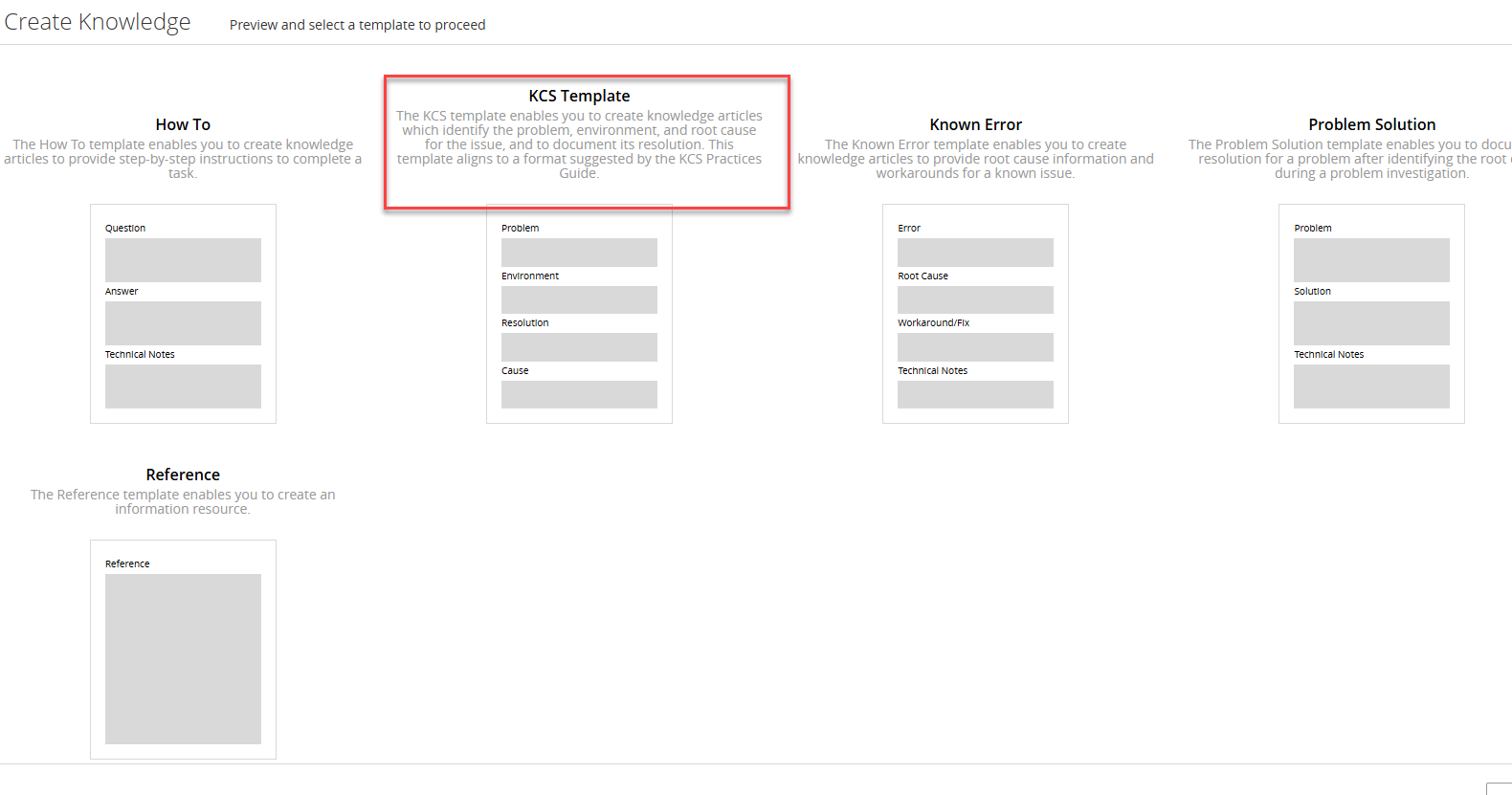
If your organization wants to use KCS in your knowledge process, Helix ITSM lets you do it! You may have noticed when creating a knowledge article that one of the templates is called “KCS Template” – this is an OOTB template to use for KCS articles. It aligns to the format suggested by the KCS Practices Guide. (Note: templates can be modified and new templates created if needed, but we recommend starting with the OOTB templates if possible.)
Permissions needed for KCS
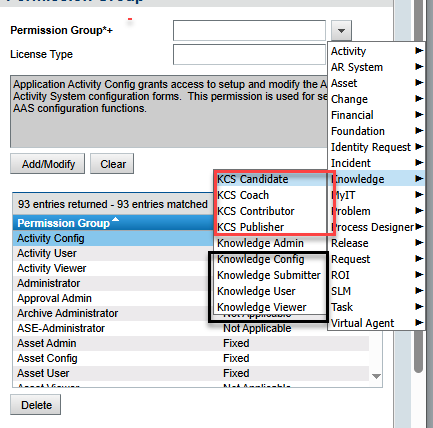
To implement KCS in your organization, you need to set up the correct knowledge permissions. (This can be done team by team; not everyone has to switch at the same time.) In the screenshot below, the top four permissions are used for the KCS functionality, while the bottom four are used for the standard knowledge management. Users can have be set up with either the KCS permissions or the standard permissions, but not both. “Knowledge Administrator” applies to both processes.
(For more details on KCS permissions, see this link: https://docs.bmc.com/xwiki/bin/view/Service-Management/IT-Service-Management/BMC-Helix-ITSM-Knowledge-Management/km253/KCS-permissions/ .)
How to access KCS functionality?
The key areas to look at are setting up Assessment questions and putting together the teams. In Smart IT, go to the More Menu and then Knowledge –

This brings you to the place where you can manage your team – who the members are; set up AQI assessments; and then review the knowledge articles based on the assessment:

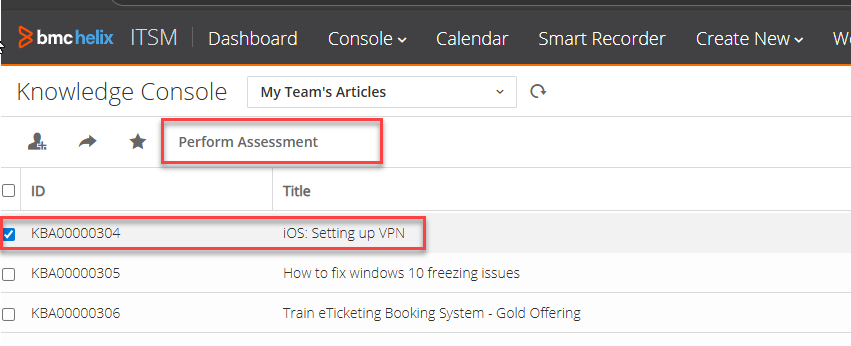
To do the assessment, click on “Manage your knowledge base”; in the next screen, select an article and then click on “Perform Assessment”.
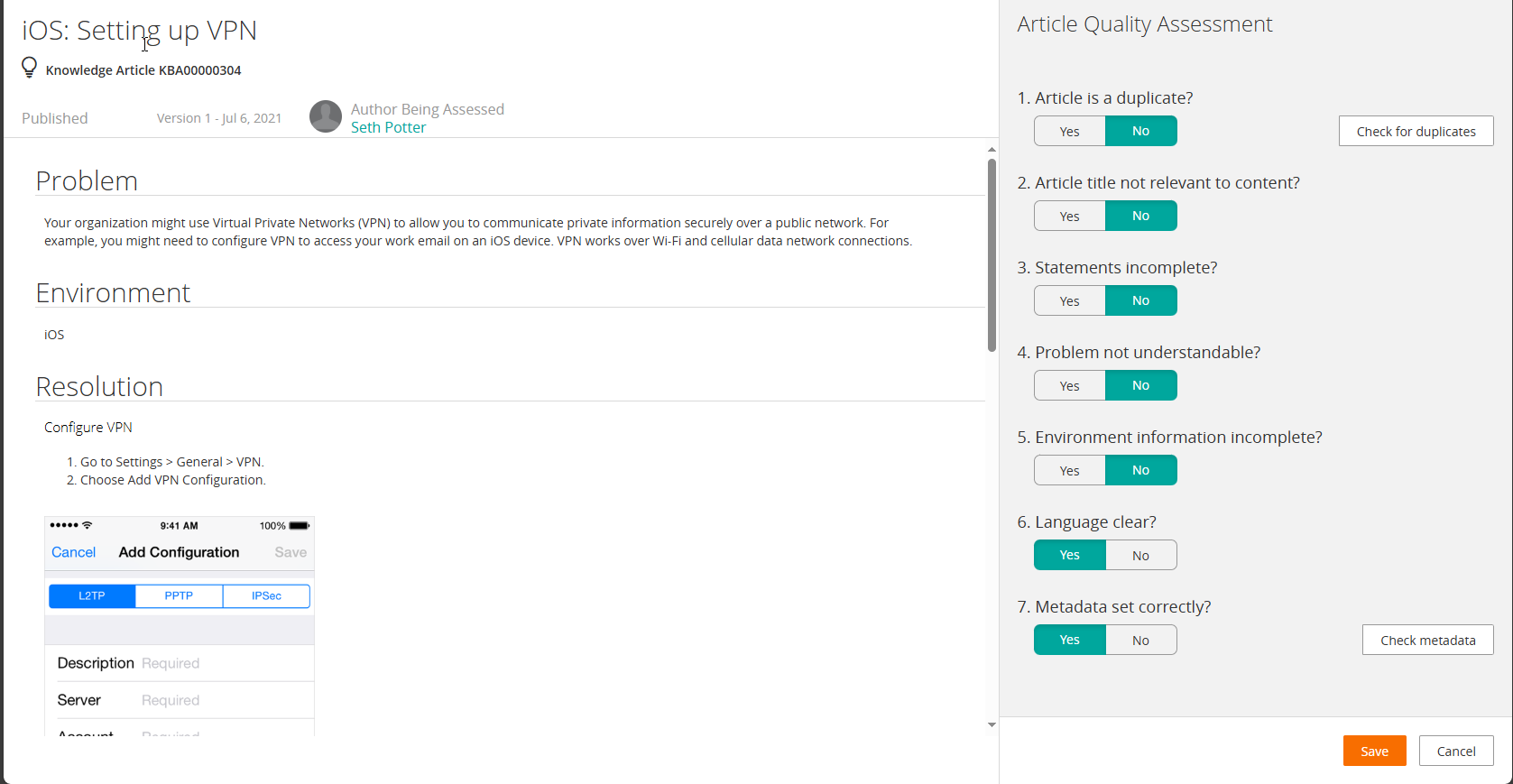
You can then assess the article.
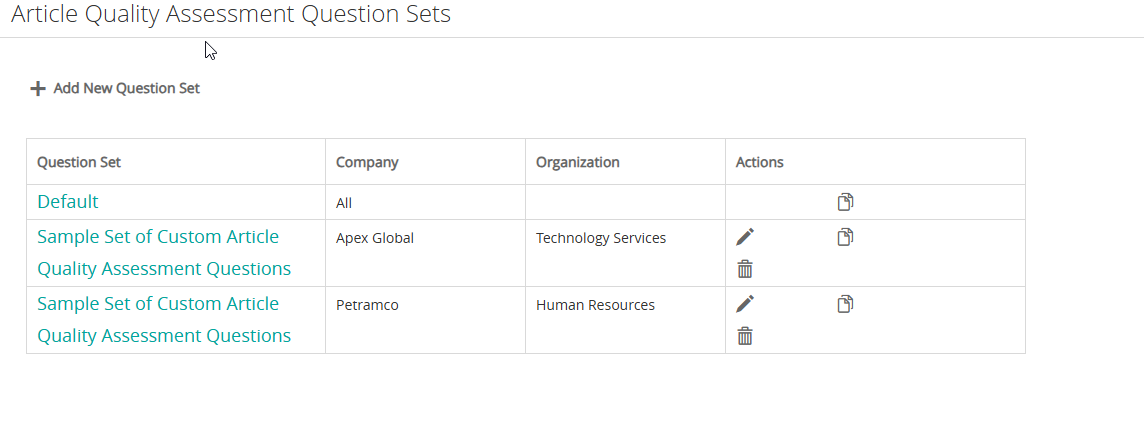
To review the Assessments, click on the “Configure AQI Assessment” button to edit, clone, or create a new AQI list.
Other comments
To learn more about KCS in Helix ITSM, you can access the documentation site. Some useful links:
You can change the OOTB assessment questions. And you can clone an existing set and change the questions for different organizations.
Finally, if you need assistance with anything in Helix ITSM, contact RightStar at [email protected] and we will be happy to talk with you!